Posts

Showing posts with the label #best #apps #androidapps #security #manager #androidpentesting

Install and Use ADB Tool in Kali Linux

Image
 Install and Use ADB Tool in Kali Linux What is ADB? ADB is part of the Android SDK Platform Tools and acts as a bridge between your computer and an Android device. It allows you to: Install and debug applications. Access the Android file system. Execute shell commands on the device. Perform port forwarding for network-related tasks. For ethical hackers and pentesters, ADB is particularly useful for application testing and network traffic analysis. Step 1: Installation  a. Type the command to ensure your system is upto date- sudo apt update && sudo apt upgrade -y b. Install ADB using your package manager: sudo apt-get install adb   or  apt-get install adb (inroot access)   c. Verify the Installation After installation, check the ADB version to confirm it’s installed correctly: adb version  Step 2: Install Genymotion If you haven’t installed Genymotion yet, follow these s...
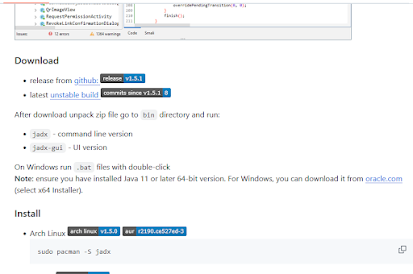
Comprehensive Guide to Using JADX for APK Analysis

Image
 Guide to Using JADX for APK Analysis JADX (Java Decompiler) is an open-source tool that allows you to decompile APK files into readable Java code. This is an essential tool for Android app pentesting, helping you inspect the app's source code for vulnerabilities like hardcoded credentials, API keys, insecure configurations, and logic flaws. Here’s a complete guide: Step 1: Download and Install JADX Download JADX : Visit the official repository: https ://github .com /skylot /jadx . Download the latest release as a ZIP file from the Releases section (look for jadx-release.zip ).   Extract the ZIP File : Extract the downloaded ZIP file into a folder on your system.   3.  Run JADX GUI : Navigate to the extracted folder. Double-click on jadx-gui.bat (on Windows) to launch the GUI. If using a terminal, navigate to the JADX directory and run: jadx-gui      Step 2: Prepare the APK Before you analyze the APK, ensure it’s ready for decompilation: 1. Obtain ...